Vellum vs Atticus: The Ultimate KDP Formatting Showdown for Indie Authors in 2026
Vellum vs Atticus for KDP formatting involves comparing two leading software solutions designed to help indie authors create professional-looking ebooks and
Vellum vs Atticus: The Ultimate KDP Formatting Showdown for Indie Authors in 2026
Vellum vs Atticus for KDP formatting involves comparing two leading software solutions designed to help indie authors create professional-looking ebooks and print books for Amazon KDP and other platforms. This comparison matters for KDP authors because choosing the right formatting tool can significantly impact their book's perceived quality, reader experience, and ultimately, sales and reviews, without requiring extensive technical design skills.
Table of Contents
- The Crucial Role of Professional Formatting in KDP Success
- Vellum: The Gold Standard for Mac Users
- Atticus: The Cross-Platform Contender
- Feature-by-Feature Comparison: Vellum vs Atticus
- Pricing, Licensing, and Accessibility
- The Workflow Experience: From Manuscript to Masterpiece
- Making Your Choice: Who Should Use Which Tool?
The Crucial Role of Professional Formatting in KDP Success
In the competitive world of Amazon KDP, a professionally formatted book is not merely a nicety; it's a necessity. Readers judge books by their covers, but they also judge them by their interior. A poorly formatted book—with inconsistent headings, awkward page breaks, strange fonts, or a clunky table of contents—can instantly turn off a reader, leading to negative reviews and abandoned purchases. Conversely, a beautifully laid-out book enhances the reading experience, making your story more immersive and enjoyable. This attention to detail signals professionalism and respect for your readers, which can translate into higher ratings, more word-of-mouth recommendations, and ultimately, better sales performance on KDP.
For indie authors, the challenge has always been achieving this professional polish without hiring expensive designers or learning complex desktop publishing software. This is where dedicated formatting tools like Vellum and Atticus step in. They abstract away the technical complexities of typography, layout, and file generation, allowing authors to focus on their content while still producing industry-standard outputs. Whether you're publishing an ebook, a paperback, or a hardcover, these tools ensure your book looks fantastic on any device or in print, directly impacting reader satisfaction and your overall success on platforms like Amazon. Investing in quality formatting software is an investment in your author brand and the longevity of your writing career.
Why Formatting Impacts Reader Retention and Reviews
Think about the last time you read a book with tiny margins, inconsistent paragraph spacing, or chapter titles that looked like plain text. It pulls you out of the story, doesn't it? For KDP authors, this "pull" can be detrimental. Readers are quick to abandon books that are difficult to read, and even quicker to leave a negative review citing poor formatting. These reviews, even if they don't critique the story itself, can significantly deter potential new readers. On the other hand, a book that flows seamlessly from one page to the next, with elegant chapter headings, readable fonts, and proper spacing, allows the reader to get lost in your narrative. This positive experience fosters reader loyalty, encourages positive reviews, and makes them more likely to pick up your next book. Professional formatting is a silent ambassador for your work, ensuring your words are presented in the best possible light.
The Technicalities of KDP Requirements
Amazon KDP has specific technical requirements for both ebook (MOBI/EPUB) and print (PDF) files. While KDP's built-in formatting tools have improved, they often lack the flexibility and aesthetic options that dedicated software offers. For ebooks, KDP requires clean HTML/CSS under the hood to ensure reflowable text that adapts to different screen sizes and reader preferences. For print, precise margins, bleed, font embedding, and high-resolution images are critical for a professional-looking paperback or hardcover. Attempting to manage these technicalities manually can be a time-consuming and frustrating endeavor for authors who aren't also expert designers. Vellum and Atticus automate much of this process, generating compliant files that meet KDP's stringent standards, saving authors countless hours and headaches. This allows authors to focus on what they do best: writing compelling stories and then leveraging tools like BookAds AI to get those stories in front of readers.
Beyond KDP: Multi-Platform Publishing
While Amazon KDP is often the primary focus for indie authors, many also publish wide to platforms like Apple Books, Barnes & Noble Nook, Kobo, and Google Play Books. Each platform might have slightly different nuances in their file requirements, though EPUB is generally the universal standard for ebooks. Print-on-demand services beyond KDP Print, such as IngramSpark, also have their own specific PDF requirements, particularly concerning bleed and trim sizes. The beauty of Vellum and Atticus is their ability to export high-quality files suitable for multiple platforms from a single source document. This ensures consistency across all retailers and print services, streamlining your publishing workflow and expanding your reach without needing to reformat your book for each individual vendor. This multi-platform capability is a significant advantage for authors looking to maximize their distribution and sales potential.
Vellum: The Gold Standard for Mac Users
Vellum, developed by Brad and Adam of 1000s of 'Bots, has long been considered the industry standard for professional book formatting among indie authors, particularly those on the Apple ecosystem. Launched in 2014, it quickly gained a reputation for its intuitive interface, stunning design templates, and seamless output. Its "what you see is what you get" (WYSIWYG) editor makes it incredibly easy to visualize how your book will look as you format it, eliminating much of the guesswork. Vellum is exclusively available for macOS, which is its primary limitation but also contributes to its streamlined performance and tight integration with Apple's design principles. For Mac-owning authors, Vellum offers an unparalleled combination of power and simplicity, allowing them to produce beautiful ebooks and print books with minimal effort.
Intuitive Interface and Design Templates
One of Vellum's most lauded features is its incredibly user-friendly interface. It's designed with authors in mind, not graphic designers. You simply import your manuscript (typically a .docx file), and Vellum intelligently identifies chapters, headings, and other structural elements. From there, you can choose from a variety of elegant, pre-designed "Book Styles" that instantly apply professional typography, decorative elements, and layout choices to your entire book. These styles are not just superficial; they are carefully crafted to meet industry standards for readability and aesthetics. Authors can customize fonts, heading styles, paragraph spacing, and ornamental breaks with just a few clicks, seeing the changes reflected in real-time in the preview pane. This visual feedback loop makes the formatting process enjoyable rather than daunting, allowing authors to experiment with different looks until they find the perfect presentation for their story.
Superior Ebook and Print Output Quality
Vellum is renowned for the exceptional quality of its output files. For ebooks, it generates clean, validated EPUB files that render beautifully on all major e-readers and devices, from Kindles to iPads. It handles reflowable text, embedded fonts, and intricate elements like drop caps and ornamental breaks with grace, ensuring a consistent and professional reading experience. For print books, Vellum produces high-resolution, print-ready PDF files that meet the strict specifications of KDP Print, IngramSpark, and other print-on-demand services. It automatically manages margins, gutters, bleed, and page numbering, allowing authors to confidently send their files to print without worrying about common errors that can lead to rejection or poor print quality. The attention to detail in Vellum's output is a significant time-saver and quality assurance for authors who value a polished final product.
Advanced Features and Customization Options
While Vellum excels at simplicity, it also offers a surprising depth of advanced features for those who need them. Authors can easily add front matter (title pages, copyright, dedication, table of contents) and back matter (author bio, "also by" pages, acknowledgments, epilogue). It supports image insertion, custom ornamental breaks, and even allows for the creation of series pages that link to other books in your catalog. For authors publishing complex non-fiction, Vellum handles footnotes, endnotes, and even internal cross-references. While it doesn't offer the granular control of professional design software like Adobe InDesign, its curated set of customization options is more than sufficient for 99% of indie authors, striking a perfect balance between ease of use and professional results.
📚 Recommended Resource: "Let's Get Digital" by David Gaughran This book is a foundational guide for indie authors looking to understand the digital publishing landscape, from writing to marketing. It provides essential context for why professional formatting and good advertising are critical. 🛒 Buy on Amazon | 📖 Buy on Bookshop.org
Atticus: The Cross-Platform Contender
Atticus, developed by the team behind Kindlepreneur (Dave Chesson), emerged as a strong contender in the book formatting space, specifically designed to address Vellum's primary limitation: its Mac-only availability. Launched in 2021, Atticus is a web-based application, meaning it runs in your browser and is accessible from any operating system—Windows, Mac, Linux, and even Chromebooks. This cross-platform compatibility immediately made it an attractive option for the vast majority of indie authors who don't own a Mac. Beyond its accessibility, Atticus aims to be an all-in-one writing and formatting solution, integrating writing tools directly into the platform, positioning itself as a comprehensive ecosystem for authors.
Cross-Platform Accessibility and Cloud-Based Workflow
Atticus's biggest selling point is its universal accessibility. As a web application, there's nothing to download or install. Authors simply log in from any modern web browser and can access their projects from anywhere with an internet connection. This cloud-based approach offers significant flexibility, allowing authors to switch between devices or work collaboratively more easily. For authors who use Windows PCs, Linux machines, or even prefer to write on a tablet, Atticus removes the barrier to entry that Vellum presents. This broad compatibility means that authors no longer have to invest in specific hardware just to achieve professional formatting, democratizing access to high-quality book production tools.
Integrated Writing Environment and Project Management
Unlike Vellum, which is purely a formatting tool, Atticus aims to be a more comprehensive authoring solution. It includes a robust writing environment that allows authors to write, edit, and organize their manuscript directly within the platform. This means you can go from drafting your novel to formatting it for publication all in one place, potentially streamlining your workflow. Atticus offers features like goal tracking, chapter organization, and even a distraction-free writing mode. This integration can be particularly appealing to authors who prefer an all-in-one solution and want to keep their entire book project—from initial outline to final export—within a single ecosystem. It's a move towards a more holistic approach to book creation, reducing the need for multiple software applications.
Growing Feature Set and Customization Options
Since its launch, Atticus has rapidly expanded its feature set, continually adding new design templates, customization options, and functionalities. It offers a respectable range of pre-designed themes for both ebooks and print, allowing authors to apply different aesthetic styles to their books. Users can customize fonts, paragraph styles, ornamental breaks, and chapter headings. Atticus also supports front and back matter elements, image insertion, and more. While its design templates might not yet have the sheer polish and variety of Vellum's, Atticus is quickly catching up, offering a powerful and flexible solution for authors who want significant control over their book's appearance. The development team is actively responsive to user feedback, indicating a strong commitment to evolving the platform to meet author needs.
Feature-by-Feature Comparison: Vellum vs Atticus
When choosing between Vellum and Atticus, a detailed comparison of their core features is essential. Both tools aim to simplify book formatting, but they approach it with different philosophies and offer varying levels of functionality in specific areas. Understanding these differences will help you determine which software aligns best with your workflow, technical needs, and aesthetic preferences. From the nuances of design flexibility to the ease of handling complex book elements, each tool has its strengths and weaknesses.
Design Flexibility and Pre-set Templates
- Vellum: Offers a curated selection of elegant "Book Styles" that are highly polished and industry-standard. While customization within these styles is possible (fonts, ornamental breaks, heading styles), the overall aesthetic is guided by Vellum's design philosophy. This ensures a professional look but might feel restrictive for authors seeking highly unique or experimental layouts. The strength lies in its consistency and the guarantee of a beautiful output with minimal effort.
- Atticus: Provides a growing library of themes and templates, with more granular control over individual elements. Authors can mix and match design components, create custom themes, and have more freedom to tweak specific aspects of the layout. This offers greater flexibility for authors who want a more personalized or distinct look for their books. However, with greater freedom comes the potential for less cohesive designs if not handled carefully.
Ebook and Print Output Quality
- Vellum: Universally praised for its pristine output. Ebooks are clean, reflowable, and render perfectly across devices. Print PDFs are high-resolution, correctly margined, and ready for KDP Print or IngramSpark, consistently meeting industry standards. Its output is often cited as indistinguishable from books formatted by professional designers.
- Atticus: Produces high-quality EPUB and print PDF files that are perfectly acceptable for KDP and other platforms. While its output is very good, some users occasionally note minor differences in the finesse of certain design elements compared to Vellum, particularly in very specific edge cases or complex layouts. However, for the vast majority of fiction and non-fiction books, Atticus's output is more than sufficient and professional.
Handling Complex Elements (Footnotes, Images, Tables)
- Vellum: Excels at handling complex elements. Footnotes and endnotes are seamlessly integrated and correctly linked. Images can be easily inserted, resized, and aligned, with options for captions. It also supports tables, although its table editor is basic. Its strength is in making these complex elements appear effortlessly professional in both ebook and print formats.
- Atticus: Has made significant strides in this area. It supports footnotes, endnotes, and image insertion with good control over placement and sizing. Its table editor is functional, allowing for basic table creation and formatting. While it might require a few more clicks or a slightly different workflow than Vellum for certain complex elements, it generally handles them well and continues to improve with each update.
Writing Environment Integration
- Vellum: Does not include a writing environment. It is purely a formatting tool. Authors are expected to write and edit their manuscript in a separate word processor (like Scrivener, Word, or Google Docs) and then import the final, edited document into Vellum for formatting.
- Atticus: Features a built-in writing environment that allows authors to write, edit, and organize their manuscript directly within the platform. This includes features like goal tracking, chapter navigation, and a distraction-free writing mode. This integration is a key differentiator for authors who prefer an all-in-one solution for their writing and formatting needs.
Comparison Table: Vellum vs Atticus for KDP Formatting
| Feature / Aspect | Vellum | Atticus |
|---|---|---|
| Platform Compatibility | macOS only | Web-based (Windows, Mac, Linux, Chromebooks, etc.) |
| Pricing Model | One-time purchase (separate for Ebook/Print or combined) | One-time purchase (combined Ebook/Print) |
| Interface & Ease of Use | Highly intuitive, WYSIWYG, elegant. Steep learning curve for non-Mac users (due to OS restriction). | Intuitive, modern UI. Slightly more options can mean a slightly steeper initial learning curve than Vellum's simplicity. |
| Design Templates | Curated, highly polished, industry-standard "Book Styles." Less granular customization but guaranteed quality. | Growing library of themes. More granular control and custom theme creation. Offers more flexibility for unique looks. |
| Ebook Output Quality | Excellent, industry-leading. Clean, reflowable EPUBs. | Excellent, professional-grade EPUBs. Continuously improving. |
| Print Output Quality | Excellent, print-ready PDFs for KDP Print & IngramSpark. | Excellent, print-ready PDFs for KDP Print & IngramSpark. |
| Writing Environment | None (import from external word processor) | Integrated writing environment with goal tracking, chapter organization. |
| Collaboration | Not natively supported (requires file sharing) | Cloud-based nature allows for easier project sharing and collaboration (though not real-time co-editing like Google Docs). |
| Customer Support | Responsive email support, active user community. | Responsive email support, active user community, extensive knowledge base/tutorials. |
| Updates & Development | Steady, well-tested updates. | Rapid, frequent updates with new features and improvements. Very active development. |
| Ideal User | Mac users prioritizing polished aesthetics and simplicity. | Authors on any OS, those seeking an all-in-one writing/formatting tool, or desiring more design flexibility. |
📚 Recommended Resource: "Your First 10,000 Readers" by Nick Stephenson This book is invaluable for KDP authors looking to build an audience and understand the marketing funnel. Getting your formatting right is the first step in impressing those readers. 🛒 Buy on Amazon | 📖 Buy on Bookshop.org
Pricing, Licensing, and Accessibility
The cost and licensing model are often decisive factors for indie authors, especially when managing a tight budget. Both Vellum and Atticus offer one-time purchase options, which is generally preferred over subscription models for authors. However, their specific pricing structures and platform accessibility differ significantly, impacting who can use them and at what initial investment.
Vellum's Licensing Model and Cost
Vellum operates on a one-time purchase model, but with a unique twist: you can purchase licenses separately for ebook-only formatting or for both ebook and print formatting.
- Vellum Ebooks: Costs $199.99 (as of 2026). This allows you to generate unlimited ebook files (EPUB, MOBI, etc.) for all your books.
- Vellum Press: Costs $299.99 (as of 2026). This includes everything in Vellum Ebooks, plus the ability to generate print-ready PDF files for all your books.
Once purchased, the license is perpetual for the current major version (e.g., Vellum 3.x). Major version upgrades might incur an upgrade fee, but minor updates are free. The significant catch is that Vellum is Mac-only. This means if you are a Windows, Linux, or Chromebook user, you would need to either purchase a Mac computer (a significant additional investment) or run macOS on a virtual machine (which can be complex and may violate Apple's EULA). This hardware dependency is the biggest barrier to entry for many authors.
Atticus's Licensing Model and Cost
Atticus also uses a one-time purchase model, offering a single price that covers both ebook and print formatting capabilities.
- Atticus: Costs $197 (as of 2026). This single purchase grants you access to all current and future features, including both ebook and print formatting, for all your books.
A key advantage of Atticus is its web-based nature. This means it runs in your browser and is accessible from any operating system (Windows, Mac, Linux, Chromebooks, etc.) without any additional hardware purchases. This universal accessibility makes Atticus a much more budget-friendly and practical option for authors who do not own a Mac or prefer to work on various devices. The one-time fee also includes all future updates, which is a significant value proposition given its rapid development cycle.
Accessibility for Different Operating Systems
- Vellum: Exclusively for macOS. This is a non-negotiable requirement. While some users try to run it on virtual machines or hackintoshes, these methods are not officially supported and can be unstable or legally questionable. For Mac users, it's a seamless experience.
- Atticus: Fully cross-platform. As a web application, it works on any device with a modern web browser and an internet connection. This makes it highly accessible to the vast majority of authors, regardless of their preferred operating system or device. This broad compatibility is a major factor in its growing popularity.
Case Study: Multi-Platform Author — Before/After
Before: Sarah, a prolific romance author, started her career on a Windows PC. To get professional formatting, she either paid a formatter $75-150 per book or struggled with Word templates, often resulting in KDP rejections or less-than-stellar interiors. This added significant cost and stress to her publishing process.
After: Sarah discovered Atticus. With a single $197 purchase, she gained access to a professional formatting tool that worked flawlessly on her Windows laptop. She could now format her own books, saving hundreds of dollars per title. The integrated writing environment also helped her streamline her drafting process, allowing her to write and format her 6-8 books a year all within one platform. Her reviews improved, and her ad campaigns on BookAds AI saw better conversion rates because readers were no longer put off by amateurish interiors.
The Workflow Experience: From Manuscript to Masterpiece
The journey from a raw manuscript to a polished, publishable book is where formatting software truly shines. Both Vellum and Atticus aim to streamline this process, but they offer distinct workflow experiences. Understanding these differences can help authors choose the tool that best fits their existing habits and preferences.
Step 1 of 4: Importing Your Manuscript
- Vellum: Typically, authors write their manuscript in a word processor like Microsoft Word (.docx), Scrivener, or Google Docs. Vellum recommends a clean .docx file, with basic paragraph breaks and chapter titles clearly marked. You simply drag and drop your .docx file into Vellum, and it intelligently parses the document, identifying chapters, headings, and other structural elements. This import process is usually quick and remarkably accurate, though a quick review and minor adjustments are often needed.
- Atticus: Offers two primary ways to get your manuscript into the system. You can import a .docx file, similar to Vellum, or you can write your manuscript directly within Atticus's integrated writing environment. For authors starting fresh or those who prefer an all-in-one solution, writing directly in Atticus can be a seamless experience. For those importing, Atticus also does a good job of parsing the document, though like any tool, a review post-import is recommended.
Step 2 of 4: Applying Design and Customization
- Vellum: After import, you'll see your book laid out in a live preview. On the left sidebar, you select a "Book Style" from Vellum's elegant collection. This instantly applies a complete aesthetic package (fonts, chapter headings, ornamental breaks, etc.) to your entire book. You can then customize specific elements like the main body font, heading font, and ornamental break style. The real-time preview is incredibly responsive, allowing for quick experimentation.
- Atticus: Once your manuscript is in Atticus, you navigate to the "Themes" section. Here, you can choose from a variety of pre-set themes, which also apply a comprehensive design to your book. Atticus offers more granular control, allowing you to customize individual elements like font families, sizes, colors, and spacing for body text, headings, and more. You can also create and save your own custom themes. The preview pane updates dynamically, though perhaps not with the same instantaneous fluidity as Vellum's.
Step 3 of 4: Adding Front and Back Matter
- Vellum: Adding front and back matter is straightforward. Vellum provides pre-built templates for common elements like Title Page, Copyright Page, Dedication, Table of Contents, About the Author, Also By, Acknowledgments, and Epilogue. You simply click to add them and then fill in the content. Vellum automatically formats these pages to match your chosen book style, ensuring consistency.
- Atticus: Similar to Vellum, Atticus offers dedicated sections for front and back matter. You can add standard pages like Title Page, Copyright, Dedication, Table of Contents, and Author Bio. Atticus also allows for custom pages, giving you flexibility for unique content. The process is intuitive, and the platform ensures these elements are correctly formatted and positioned within your book.
Step 4 of 4: Generating and Exporting Files
- Vellum: This is where Vellum truly shines. With a few clicks, you can generate high-quality ebook files (EPUB, MOBI) and print-ready PDF files. Vellum handles all the technical details, including embedding fonts, setting margins, and ensuring proper bleed for print. You can select specific retailers (e.g., Kindle, Apple Books, Kobo) to generate optimized EPUBs for each. The output files are consistently clean, validated, and ready for upload.
- Atticus: Atticus also offers robust export options. You can generate EPUB files for ebooks and print-ready PDFs for print books. It provides options for different trim sizes and margin settings for print. The generated files are professional and meet the requirements of major platforms like KDP. While Vellum's export process might feel slightly more refined, Atticus delivers perfectly usable and high-quality files for all your publishing needs.
📚 Recommended Resource: "Write. Publish. Repeat." by Sean Platt & Johnny B. Truant This book offers a practical, no-nonsense approach to building a sustainable author career, emphasizing consistent output and smart publishing choices, including professional presentation. 🛒 Buy on Amazon | 📖 Buy on Bookshop.org
Making Your Choice: Who Should Use Which Tool?
Deciding between Vellum and Atticus ultimately comes down to your specific needs, existing hardware, budget, and personal preferences. Both are excellent tools that produce professional results, but their strengths cater to different author profiles.
Vellum is Ideal for...
- Mac Users: This is the most critical factor. If you own a Mac and are comfortable with the Apple ecosystem, Vellum is an incredibly powerful and user-friendly choice.
- Authors Prioritizing Aesthetic Polish and Simplicity: Vellum's curated design templates and intuitive WYSIWYG interface make it incredibly easy to produce stunningly beautiful books with minimal effort. If you want a guaranteed professional look without getting bogged down in too many design decisions, Vellum is your go-to.
- Authors Who Prefer Dedicated Tools: If you like to use separate, specialized tools for each part of your author workflow (e.g., Scrivener for writing, Vellum for formatting, BookAds AI for advertising), Vellum fits perfectly into that model. It does one thing exceptionally well.
- Authors with Complex Book Structures: While Atticus is improving, Vellum still holds a slight edge in handling very complex layouts, intricate footnotes/endnotes, or specific non-fiction elements with a bit more finesse.
Atticus is Ideal for...
- Authors on Windows, Linux, or Chromebooks: This is Atticus's primary advantage. If you don't own a Mac, Atticus provides a top-tier formatting solution without requiring a significant hardware investment.
- Budget-Conscious Authors: At a lower price point and covering both ebook and print, Atticus offers excellent value, especially considering its cross-platform accessibility and ongoing feature development.
- Authors Seeking an All-in-One Writing and Formatting Solution: If you prefer to keep your entire manuscript—from drafting to final formatting—within a single application, Atticus's integrated writing environment is a major draw.
- Authors Who Desire More Design Flexibility: While Vellum's designs are beautiful, Atticus offers more granular control over customization, allowing authors to create more unique or personalized looks for their books.
- Authors Who Appreciate Rapid Development and New Features: The Atticus team is highly responsive and frequently rolls out new features and improvements, making it an exciting platform for authors who want to stay on the cutting edge.
Checklist: Choosing Your Formatting Tool
✅ Do you own a Mac? * Yes: Vellum is a strong contender. * No: Atticus is likely your best bet.
✅ Is budget a primary concern? * Yes: Atticus offers a lower entry price and covers all formats. * No: Both are viable, but Vellum's print license is slightly more expensive.
✅ Do you prefer an all-in-one writing and formatting tool? * Yes: Atticus. * No: Vellum (if you have a Mac and use a separate writing tool).
✅ How much design control do you want? * Curated, elegant templates with less fuss: Vellum. * More granular control and customization options: Atticus.
✅ Do you need to format books for both ebook and print? * Yes: Both offer this, but Vellum requires the "Press" license.
✅ Are you comfortable with a web-based application? * Yes: Atticus. * No: Vellum (if you have a Mac).
Further reading: Kindlepreneur's detailed comparison offers additional insights from a developer's perspective, providing a comprehensive breakdown of features and performance.
Ultimately, both Vellum and Atticus are powerful tools that empower indie authors to produce professional-quality books. Your choice will depend on your individual circumstances. Many authors even use both, leveraging Vellum for its unmatched polish on specific projects and Atticus for its flexibility and writing environment for others. The good news is that with either tool, you're investing in a solution that will significantly elevate the presentation of your work on KDP and beyond.
Frequently Asked Questions
Q: Can I use Vellum on a Windows PC? A: No, Vellum is exclusively designed for macOS and will not run natively on a Windows PC. While some users attempt to run it on virtual machines, this is not officially supported and can be unstable or violate Apple's terms of service.
Q: Is Atticus a subscription service? A: No, Atticus is a one-time purchase. A single payment grants you lifetime access to the software, including all future updates and features, without any recurring subscription fees.
Q: Which tool is better for non-fiction books with complex layouts? A: Both tools can handle non-fiction, but Vellum has historically been lauded for its slightly more refined handling of complex elements like footnotes, endnotes, and intricate image placement in both ebook and print. Atticus is rapidly improving in this area and is a strong contender, especially for authors who need cross-platform access.
Q: Can I import my Scrivener project directly into Vellum or Atticus? A: Neither Vellum nor Atticus directly imports Scrivener project files (.scriv). The recommended workflow is to compile your Scrivener project into a clean .docx file (Microsoft Word format) and then import that .docx file into either Vellum or Atticus.
Q: Do Vellum and Atticus offer free trials? A: Vellum offers a free download that allows you to format your entire book and preview it. You only pay when you're ready to generate the final, publishable files. Atticus does not offer a free trial, but they have a 30-day money-back guarantee if you are not satisfied.
Q: Which tool is easier to learn for a complete beginner? A: Vellum is often cited as having a slightly gentler learning curve due to its highly intuitive, curated interface and fewer initial customization options. However, Atticus is also very user-friendly, and its integrated writing environment might make it feel more natural for authors who want an all-in-one solution from the start.
Q: Can I use both tools if I want to? A: Yes, absolutely! Some authors own both, perhaps using Vellum for its specific aesthetic polish on certain projects (if they own a Mac) and Atticus for its cross-platform flexibility or integrated writing features for others. There's no restriction on using multiple tools in your author ecosystem.
Q: How do these tools compare to using Microsoft Word for formatting? A: Vellum and Atticus are significantly more advanced and user-friendly for professional book formatting than Microsoft Word. While Word can be used for basic formatting, it struggles with generating clean EPUBs, managing print margins and bleed accurately, and offering the elegant design templates that Vellum and Atticus provide. These dedicated tools save immense time and produce a far superior, industry-standard result.
Conclusion
In 2026, the choice between Vellum and Atticus for KDP formatting is a choice between two industry-leading tools, each with distinct advantages. Vellum remains the gold standard for Mac users, offering unparalleled polish, intuitive design, and consistently flawless output for both ebooks and print. Its strength lies in its elegant simplicity and the guarantee of a professional aesthetic with minimal fuss. Atticus, on the other hand, has rapidly emerged as a powerful contender, democratizing access to professional formatting with its cross-platform accessibility and integrated writing environment. It offers greater design flexibility and is an excellent all-in-one solution for authors on any operating system, continually evolving with new features.
Ultimately, the best tool for you hinges on your operating system, budget, workflow preferences, and desired level of design control. Both Vellum and Atticus empower indie authors to elevate their books from manuscript to masterpiece, ensuring a professional presentation that enhances reader experience and boosts your author brand. Investing in either of these tools means investing in the quality of your product, which in turn supports your marketing efforts and long-term success on KDP. Make an informed decision, and then focus on what truly matters: writing more great books and getting them discovered.
Ready to stop manually adjusting bids and guessing which keywords work? Try BookAds AI free for 14 days — no credit card required. Our AI handles bid optimization, keyword harvesting, and ACOS management so you can focus on writing your next book.
Related Articles
- How to Use KDP Advertising to Boost Your Book Sales
- Understanding ACOS: A KDP Author's Guide to Ad Profitability
- The Ultimate Guide to KDP Keywords for Indie Authors
This article contains Amazon and Bookshop.org affiliate links. If you purchase through them, BookAds AI earns a small commission at no extra cost to you. Bookshop.org links also support independent bookstores.
Tools KDP Authors Love
As an Amazon Associate and Bookshop.org affiliate, BookAds AI earns from qualifying purchases.

Michael Hyatt
The definitive guide to building an author platform that attracts readers and sells books.

Nick Stephenson
The step-by-step system for growing your reader base with reader magnets and email marketing.
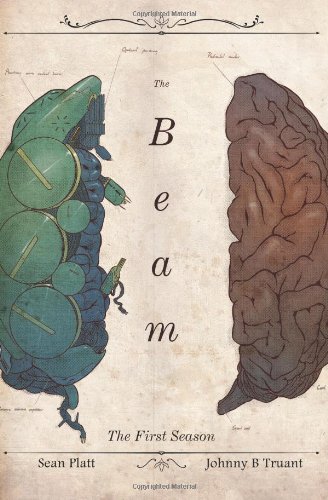
Sean Platt & Johnny B. Truant
Build a sustainable indie publishing business with this comprehensive guide to prolific writing and smart marketing.
Get the free KDP ACOS Calculator
A Google Sheet that calculates your break-even ACOS, true profit per sale, and optimal bid ceiling for any book — plus weekly KDP ads tips delivered every Monday.
No spam. Unsubscribe anytime.
More Resources for KDP Authors
Part of the Taciturn Studios publishing network.

CoverCrushing
covercrushing.com
Book cover inspiration and design analysis for authors who know that covers sell books.
MyAuthorVoice
myauthorvoice.com
Writing craft, author branding, and publishing guides for KDP authors.

GuideTopics
guidetopics.com
In-depth how-to guides on Amazon Ads, KDP publishing workflows, and self-publishing tools.




We use cookies and similar technologies to improve your experience, analyze site traffic, and serve relevant ads. By clicking Accept, you consent to our use of cookies as described in our Privacy Policy. You can decline non-essential cookies — the site will still work, but personalized ads won't be shown.