Vellum vs Atticus for KDP Formatting: A Detailed Comparison for Indie Authors in 2026
Vellum vs Atticus are the two leading book formatting software solutions designed to help indie authors create professional-looking eBooks and print books for
Vellum vs Atticus for KDP Formatting: A Detailed Comparison for Indie Authors in 2026
Vellum vs Atticus are the two leading book formatting software solutions designed to help indie authors create professional-looking eBooks and print books for KDP and other platforms. Vellum, exclusive to Mac, is renowned for its elegant design and ease of use, while Atticus, a web-based tool, offers cross-platform accessibility and a growing feature set at a more affordable price point. For KDP authors, choosing between them often comes down to budget, operating system, and specific formatting needs to ensure their books look polished and professional, directly impacting reader perception and sales.
Table of Contents
- The Crucial Role of Professional Book Formatting for KDP Authors
- Vellum: The Mac-Exclusive Gold Standard for Book Design
- Atticus: The Cross-Platform Contender for Indie Authors
- Vellum vs Atticus: A Feature-by-Feature Showdown
- User Experience, Learning Curve, and Support
- Pricing, Licensing, and Long-Term Value for KDP Authors
- Making Your Choice: Which Formatting Tool is Right for You?
The Crucial Role of Professional Book Formatting for KDP Authors
In the competitive world of self-publishing, a book's cover might grab attention, but its interior formatting keeps readers engaged. Sloppy formatting—inconsistent fonts, awkward page breaks, or unreadable text—can quickly turn a potential superfan into a one-star reviewer. For KDP authors, professional formatting isn't just about aesthetics; it's about delivering a seamless reading experience that reflects the quality of your writing and builds trust with your audience. Amazon's algorithms also favor books with clean, well-structured files, which can indirectly influence visibility and sales.
Why Formatting Matters More Than You Think
Many indie authors pour their heart and soul into writing a compelling story or crafting an informative non-fiction guide, only to stumble at the final hurdle: preparing their manuscript for publication. A poorly formatted book signals amateurism, even if the content is brilliant. Readers expect a certain level of polish, mirroring what they'd find from traditional publishers. This expectation applies equally to eBooks, which need to be responsive and reflowable across various devices, and print books, which demand precise margins, page numbering, and chapter starts. Ignoring these details can lead to reader frustration, negative reviews, and ultimately, lost sales.
Common Formatting Pitfalls to Avoid
Without dedicated software, KDP authors often resort to word processors like Microsoft Word or Google Docs for formatting. While these tools are excellent for writing, they can introduce numerous issues when exporting to eBook or print-ready files. Common pitfalls include inconsistent heading styles, orphaned or widowed lines, incorrect line spacing, images that don't scale properly, and difficulty in generating a clickable table of contents for eBooks. For print, issues like incorrect gutter margins, misaligned page numbers, and non-embedded fonts can lead to rejection during the KDP print review process or a poor physical product.
The Impact on Reader Experience and Reviews
Imagine a reader settling in with your new release, only to encounter a chapter title split across two pages, or a paragraph suddenly switching fonts. These minor annoyances accumulate, disrupting the reading flow and pulling them out of your story. Such frustrations often translate directly into lower ratings and negative reviews on platforms like Amazon, Goodreads, and BookBub. Conversely, a beautifully formatted book enhances the reading experience, making your work feel more professional and valuable. This positive impression can lead to better reviews, repeat purchases, and word-of-mouth recommendations, which are invaluable for any indie author building a career.
Vellum: The Mac-Exclusive Gold Standard for Book Design
Vellum has long been considered the gold standard for indie authors who own a Mac. Launched by Brad and Amy Larson, it quickly gained a reputation for its elegant interface, intuitive workflow, and stunning output quality. Vellum excels at taking a plain manuscript and transforming it into a beautifully typeset book with minimal effort, offering a range of pre-designed styles that mimic traditional publishing house quality. Its focus on simplicity and aesthetic excellence has made it a favorite among authors who prioritize design and a streamlined formatting process, provided they meet the hardware requirement.
Key Features and Design Philosophy
Vellum's design philosophy centers on "what you see is what you get" (WYSIWYG) editing, allowing authors to preview their book in real-time as they make changes. It offers a curated selection of professional-grade book styles, each with customizable elements like chapter headings, ornamental breaks, and initial caps. Authors can easily add front and back matter (title page, copyright, dedication, acknowledgments, about the author, etc.) with pre-set layouts. Vellum automatically handles complex typesetting rules, such as hyphenation, justification, and optical margin alignment, ensuring a clean and readable layout for both print and digital formats.
The Mac-Only Limitation: A Double-Edged Sword
The most significant aspect of Vellum is its exclusivity to macOS. This is a deal-breaker for PC users, forcing them to either invest in a Mac, use a cloud-based Mac service, or choose an alternative. For Mac users, however, this limitation is often seen as a strength. By focusing on a single operating system, Vellum's developers have been able to optimize the software for performance and integrate seamlessly with the macOS environment, resulting in a highly stable and polished user experience. This dedicated focus contributes to its reputation for reliability and ease of use, but it undeniably restricts its user base.
Output Quality and Versatility
Vellum generates high-quality eBook files (EPUB, MOBI, KPF for Kindle Create) and print-ready PDFs. The EPUB files are clean, well-structured, and reflowable, ensuring an excellent reading experience across various e-readers and devices. The print PDFs are equally impressive, adhering to industry standards for margins, bleeds, and font embedding, making them suitable for KDP Print, IngramSpark, and other print-on-demand services. Authors can export multiple formats simultaneously, saving significant time. The consistency in design across all outputs ensures a unified brand experience for readers, regardless of how they consume the book.
📚 Recommended Resource: Let's Get Digital by David Gaughran This book is an essential guide for indie authors looking to understand the self-publishing landscape, marketing strategies, and the mindset needed to succeed in the digital age. 🛒 Buy on Amazon | 📖 Buy on Bookshop.org
Atticus: The Cross-Platform Contender for Indie Authors
Atticus emerged as a strong contender in the book formatting space, specifically designed to address Vellum's Mac-only limitation. Developed by the team behind Publisher Rocket (formerly KDP Rocket), Atticus is a web-based application, meaning it runs in your browser and is accessible from any operating system—Windows, Mac, Linux, or even Chromebooks. This cross-platform accessibility, combined with a more budget-friendly one-time purchase price, has quickly made Atticus a popular choice for a broader range of indie authors seeking professional formatting without the hardware constraints.
Web-Based Accessibility and Device Independence
Atticus’s greatest strength is its web-based nature. Authors can access their projects from any device with an internet connection and a modern web browser. This offers unparalleled flexibility, allowing authors to work on their formatting from a desktop, laptop, or even a tablet. The platform handles cloud syncing, so your work is always saved and accessible from wherever you log in. This removes the barrier of needing a specific operating system, opening up professional formatting to a much wider audience of KDP authors who might not own a Mac or prefer working on different devices.
Growing Feature Set and Customization Options
While initially simpler than Vellum, Atticus has rapidly expanded its feature set, aiming to match and even surpass its competitor in certain areas. It offers a variety of pre-designed themes and styles, similar to Vellum, but also provides more granular control over individual elements like fonts, line spacing, and paragraph indents. Authors can create custom themes, save them, and apply them across multiple books, ensuring brand consistency. Atticus also includes features like a distraction-free writing mode, goal tracking, and integration with its sister product, Publisher Rocket, making it a more comprehensive tool for authors beyond just formatting.
Integration with Writing and Marketing Tools
Atticus is positioned not just as a formatting tool, but as a broader author platform. Its integration with a writing environment means authors can write and format within the same application, streamlining their workflow. The developers have also hinted at deeper integrations with other author tools, potentially including direct links to KDP for publishing or advanced marketing features. This holistic approach aims to provide a one-stop solution for authors, from manuscript creation to publication-ready files, making it an attractive option for those looking to consolidate their author toolkit.
Vellum vs Atticus: A Feature-by-Feature Showdown
When comparing Vellum vs Atticus, it's essential to look beyond the surface and delve into their core functionalities, design capabilities, and overall user experience. Both tools aim to simplify book formatting, but they approach it with slightly different philosophies and feature sets. Understanding these distinctions will help KDP authors determine which platform aligns best with their specific needs, technical comfort level, and creative vision for their books.
Core Formatting Capabilities and Output Options
Both Vellum and Atticus excel at generating professional-grade eBook (EPUB, MOBI/KPF) and print-ready PDF files. They handle essential formatting tasks such as creating chapter titles, adding front and back matter, managing page breaks, and ensuring consistent typography.
- Vellum: Known for its elegant, curated styles. It offers a limited but highly polished selection of themes, focusing on traditional book design aesthetics. It's incredibly efficient at producing clean, industry-standard files with minimal tweaking. Its strength lies in its "set it and forget it" approach to beautiful design.
- Atticus: Provides a growing library of themes and offers more granular control over customization. Authors can adjust almost every element, from font choices (including custom font uploads) to line heights and paragraph spacing. This flexibility allows for unique designs but might require a bit more design sensibility from the author. Atticus also supports more advanced features like custom elements and potentially even more complex layouts for non-fiction.
Customization and Design Flexibility
This is where the two tools begin to diverge significantly, catering to different author preferences.
- Vellum: Offers customization within its pre-defined styles. You can choose different heading designs, ornamental breaks, and initial caps, but you can't, for example, upload a completely custom font or drastically alter the underlying layout structure. Its strength is in guiding authors to beautiful results without overwhelming design choices.
- Atticus: Shines in its customization options. Authors can upload custom fonts, create and save their own themes, and fine-tune almost every visual aspect of their book. This is a huge advantage for authors who want a unique brand aesthetic or need specific design elements for their genre (e.g., complex non-fiction layouts, children's books with specific font needs). The ability to save custom themes means you can apply a consistent look across an entire series.
Handling Images, Tables, and Complex Layouts
The complexity of your book's interior can heavily influence which tool is a better fit.
- Vellum: Handles images well, allowing for placement and basic sizing. It's less robust for complex tables or highly intricate layouts with multiple columns or sidebars. While it can include images, it's not designed for heavily image-dependent books like cookbooks or complex textbooks.
- Atticus: Offers more advanced image placement options, including wrapping text around images. It also has a more capable table editor, making it suitable for non-fiction books that require data presentation. The developers are continually adding features for more complex layouts, aiming to support a wider range of book types beyond standard fiction. For authors with graphic-heavy books or those needing precise control over element placement, Atticus is rapidly becoming the stronger option.
| Feature/Aspect | Vellum (Mac-only) | Atticus (Web-based) |
|---|---|---|
| Platform | macOS only | Web-based (Windows, Mac, Linux, Chromebook) |
| Pricing | Higher one-time fee (per license) | Lower one-time fee (unlimited books) |
| Ease of Use | Extremely intuitive, "set it and forget it" | Intuitive, but more options can add complexity |
| Design Styles | Curated, elegant, professional (limited choices) | Growing library, highly customizable, custom themes |
| Custom Fonts | No (uses built-in fonts) | Yes (upload custom fonts) |
| Image Handling | Basic placement, resizing | More advanced placement, text wrapping |
| Table Editor | Basic, can be challenging for complex tables | More robust, easier for complex data |
| Writing Environment | No (import from Word/Scrivener) | Yes (distraction-free writing mode) |
| Updates | Regular, stable | Frequent, rapid feature additions |
| Support | Excellent email support | Responsive email/community support |
| Learning Curve | Very low | Low to moderate (due to more options) |
📚 Recommended Resource: Your First 10,000 Readers by Nick Stephenson This book provides actionable strategies for building an author platform, growing your email list, and connecting with your audience to drive sales and engagement. 🛒 Buy on Amazon | 📖 Buy on Bookshop.org
User Experience, Learning Curve, and Support
The overall user experience (UX) and the ease with which an author can learn and use a formatting tool are critical factors. A powerful tool is only effective if authors can navigate it without frustration. Both Vellum and Atticus aim for user-friendliness, but their approaches and the support they offer differ.
Vellum's Intuitive Interface and Workflow
Vellum's strength lies in its remarkable simplicity and intuitive design.
- Step 1: Import Your Manuscript. You start by importing a clean manuscript (ideally a .docx file) into Vellum. The software intelligently identifies chapters and front/back matter based on your heading styles.
- Step 2: Define Book Elements. Vellum then guides you through adding various book elements like the title page, copyright page, dedication, acknowledgments, and an "About the Author" section. It provides pre-formatted templates for each.
- Step 3: Choose a Style. You select one of Vellum's elegant built-in styles. These styles are professionally designed and handle all the intricate typesetting details automatically.
- Step 4: Preview and Tweak. The real magic happens in the live preview pane, where you see exactly how your book will look on various devices (Kindle, iPad, iPhone) and as a print book. You can make minor adjustments to chapter headings, ornamental breaks, and initial caps.
- Step 5: Generate Files. With a single click, Vellum generates all necessary eBook (EPUB, KPF) and print-ready PDF files.
The learning curve for Vellum is almost non-existent. Most authors can produce a perfectly formatted book within an hour of their first use. Its "opinionated" design choices mean fewer decisions for the author, leading to faster, consistent, and high-quality results.
Atticus's Evolving Interface and Learning Path
Atticus, being a newer and more feature-rich platform, has a slightly different learning path. While it also aims for intuitiveness, its broader range of customization options means there's a bit more to explore.
- Interface: Atticus's interface is clean and modern, divided into sections for writing, structuring, and formatting. The web-based nature means it feels familiar to anyone used to online applications.
- Workflow: Similar to Vellum, you import your manuscript or write directly within the app. You then define your book elements and choose a theme. Atticus offers more granular controls, allowing you to dive deeper into font choices, spacing, and custom elements.
- Learning Curve: The initial learning curve is low, especially for basic formatting. However, mastering its advanced customization features and understanding how to create and save custom themes will take a bit more time and experimentation. The team offers excellent tutorials and a responsive support community to help authors navigate these options.
Community and Customer Support
Both platforms offer robust support, albeit through different channels.
- Vellum: Primarily relies on excellent, personalized email support. Their team is known for being highly responsive and helpful. There isn't a large official community forum, but many Mac-focused author groups discuss Vellum.
- Atticus: Offers comprehensive support through email, a dedicated Facebook group, and extensive help documentation. The Facebook group, in particular, is very active, with developers frequently engaging with users and incorporating feedback into future updates. This community-driven approach is a significant advantage for Atticus users.
Case Study: Fiction Author — Before/After
Before: Sarah, a fiction author, used Microsoft Word to format her first novel. She struggled with consistent chapter headings, page breaks, and generating a clickable table of contents. Her print book had inconsistent margins, and the eBook looked clunky on different devices. She received a few 3-star reviews mentioning "formatting issues."
After: For her second novel, Sarah invested in Vellum (as a Mac user). She imported her manuscript, chose a classic style, and within 45 minutes, had perfectly formatted eBook and print files. The process was seamless, and the output was professional. Her second book garnered praise for its "beautiful interior" and "easy-to-read layout," contributing to higher ratings and reader satisfaction. She spent less time on formatting and more time writing her next book, and her ACOS on ads for this book was noticeably lower, as readers were less likely to abandon a purchase due to poor formatting.
Pricing, Licensing, and Long-Term Value for KDP Authors
The financial investment is a significant consideration for KDP authors, especially those just starting out. Both Vellum and Atticus are premium tools, but their pricing models and licensing structures are quite different, impacting their long-term value proposition.
Vellum's Licensing Model and Cost
Vellum offers a unique licensing model: you pay a one-time fee for a license that allows you to generate files for an unlimited number of books. However, the cost varies based on whether you want to publish only eBooks or both eBooks and print books.
- Vellum Ebooks: Costs $199.99 for unlimited eBook generation.
- Vellum Press: Costs $299.99 for unlimited eBook and print book generation.
This is a one-time purchase, meaning no recurring subscriptions. Updates are generally included. The higher upfront cost can be a barrier for some authors, especially those unsure of their long-term publishing plans or who only publish a few books. However, for prolific authors, the cost per book quickly diminishes, making it a sound long-term investment. The value is in the time saved and the consistent, high-quality output.
Atticus's One-Time Purchase and Value Proposition
Atticus also operates on a one-time purchase model, but at a significantly lower price point than Vellum.
- Atticus: Costs $197 for lifetime access, including all future updates and the ability to format unlimited books (both eBook and print).
This single price point for full functionality makes Atticus incredibly attractive, especially for authors on a tighter budget or those who don't want to commit to Vellum's higher initial investment. The "lifetime access" promise, combined with continuous feature development, positions Atticus as a high-value tool that aims to grow with an author's career. Its cross-platform nature further enhances its value, as authors don't need to purchase specific hardware to use it.
Updates, Support, and Future-Proofing
Investing in formatting software isn't just about the current features; it's about the ongoing support and development that ensures the tool remains relevant as publishing standards evolve.
- Vellum: Has a track record of stable, well-tested updates. While new features are added, the focus is often on refining existing functionality and ensuring compatibility with the latest macOS versions and KDP requirements. Their updates are reliable and don't typically introduce bugs.
- Atticus: As a newer product, Atticus is undergoing rapid development. The team frequently releases new features, improvements, and bug fixes. This agile development means the software is constantly evolving and responding to user feedback. While this can sometimes mean more frequent interface changes or occasional minor bugs (which are quickly addressed), it also means authors get access to cutting-edge features faster. The active community plays a significant role in guiding this development.
Checklist: Evaluating Long-Term Value ✅ Number of Books: How many books do you plan to publish? For 1-2 books, the cost might feel high for either, but for a series or multiple books, both offer excellent per-book value. ✅ Operating System: Do you own a Mac? If not, Vellum is out unless you plan to buy one or use a cloud service. ✅ Budget: What is your upfront budget for author tools? Atticus is significantly more affordable. ✅ Customization Needs: Do you need highly specific fonts or complex layouts? Atticus offers more flexibility. ✅ Future-Proofing: How important is continuous feature development and community input? Atticus excels here. ✅ Time vs. Money: Are you willing to pay more for ultimate simplicity (Vellum) or save money and potentially spend a bit more time learning (Atticus)?
📚 Recommended Resource: Write. Publish. Repeat. by Sean Platt & Johnny B. Truant This book offers a practical, no-nonsense guide to building a sustainable author career by focusing on consistent output and leveraging digital publishing opportunities. 🛒 Buy on Amazon | 📖 Buy on Bookshop.org
Making Your Choice: Which Formatting Tool is Right for You?
Deciding between Vellum vs Atticus ultimately comes down to a few key factors specific to your situation as a KDP author. There's no single "best" tool; rather, there's the best tool for you. Consider your operating system, budget, technical comfort level, and the specific needs of your books. Both tools are excellent investments that will elevate the professionalism of your self-published work, but they cater to slightly different author profiles.
When Vellum is the Undisputed Champion
If you meet these criteria, Vellum is likely your ideal choice:
- You own a Mac: This is the non-negotiable prerequisite. If you don't have a Mac, Vellum isn't an option unless you're willing to invest in new hardware or a cloud-based Mac service.
- You prioritize simplicity and elegance: Vellum's strength is its "set it and forget it" approach. You want a tool that produces stunning, professional results with minimal fuss and design decisions on your part.
- You write primarily fiction or standard non-fiction: For books that follow a relatively standard layout (chapters, text, occasional images), Vellum's curated styles are perfect and incredibly efficient.
- You value a highly polished, stable user experience: Vellum is renowned for its stability and seamless performance, offering a frictionless formatting process.
- You're willing to pay a premium for efficiency: The higher upfront cost is justified by the significant time savings and consistent, high-quality output it provides for prolific authors.
When Atticus is Your Go-To Solution
Atticus is rapidly gaining ground and is the superior choice for many KDP authors, especially if:
- You don't own a Mac (or prefer working on other OS): Atticus's web-based nature makes it accessible from Windows, Linux, Chromebooks, or any device with a browser, removing the hardware barrier.
- You're on a tighter budget: The significantly lower one-time price point makes Atticus an attractive option for authors who want professional formatting without a large upfront investment.
- You desire extensive customization and control: If you want to upload custom fonts, create unique themes, or have granular control over every design element, Atticus offers far more flexibility.
- You write complex non-fiction, children's books, or highly visual books: With its more robust image handling, table editor, and ongoing development for complex layouts, Atticus is becoming better suited for books with intricate formatting needs.
- You appreciate rapid feature development and community input: Atticus is constantly evolving, with new features and improvements driven by an active user community. You'll benefit from continuous innovation.
- You want an all-in-one writing and formatting tool: Atticus's integrated writing environment can streamline your workflow, allowing you to write and format within the same application.
The Hybrid Approach: Using Both or Complementary Tools
Some authors might even consider a hybrid approach. For example, if you primarily use a PC but occasionally need Vellum's specific aesthetic, you might consider using a Mac cloud service for those projects. Alternatively, you might use Atticus for most of your formatting needs due to its flexibility and then leverage other tools like BookAds AI for optimizing your Amazon advertising campaigns.
The goal is to produce a professional book that readers love. Whether you choose Vellum's elegant simplicity or Atticus's customizable power, both are excellent tools for elevating your KDP publications. Focus on what aligns with your workflow, budget, and creative vision, and your readers will thank you for the polished experience.
This article contains Amazon affiliate links. If you purchase through them, BookAds AI earns a small commission at no extra cost to you.
Frequently Asked Questions
Q: Is Vellum worth the high price for KDP authors? A: For Mac users who publish multiple books and value extreme ease of use, elegant design, and time savings, Vellum is absolutely worth the investment. Its one-time fee quickly pays for itself over several books by producing consistently high-quality files with minimal effort.
Q: Can I use Vellum if I have a Windows PC? A: No, Vellum is exclusively designed for macOS. You would need to either purchase a Mac, use a cloud-based Mac service, or opt for a cross-platform alternative like Atticus.
Q: Does Atticus require an internet connection to work? A: Yes, Atticus is a web-based application, so it requires an active internet connection to access your projects, save your work, and generate files. However, it's designed to be responsive and efficient even on moderate connections.
Q: Which tool is better for non-fiction books with lots of images and tables? A: Atticus is generally better suited for complex non-fiction with many images and tables. It offers more robust image placement options, a better table editor, and more granular control over layout elements, which are crucial for such books.
Q: Can I upload custom fonts in Vellum or Atticus? A: Atticus allows you to upload and use custom fonts, providing extensive branding flexibility. Vellum, on the other hand, does not support custom font uploads and relies on its curated selection of built-in professional fonts.
Q: Do these tools help with book marketing or KDP ads? A: While Vellum and Atticus are formatting tools, professional formatting directly impacts reader satisfaction and reviews, which indirectly helps marketing. They don't directly manage KDP ads, but a well-formatted book is a prerequisite for successful ad campaigns. For ad management, platforms like BookAds AI are specialized.
Q: What if I decide to switch from one tool to the other later? A: Both tools import .docx files, so you can always export your manuscript from one and import it into the other. Your source manuscript remains the primary asset, allowing flexibility if your needs or preferences change over time.
Q: Are there any free alternatives to Vellum or Atticus for KDP formatting? A: While there are free options like Kindle Create or using Word's export functions, they generally lack the professional polish, ease of use, and advanced features of Vellum or Atticus. For truly professional results, investing in a dedicated tool is recommended.
Conclusion + CTA
Choosing the right book formatting software is a pivotal decision for any KDP author serious about presenting their work professionally. Both Vellum and Atticus stand out as industry leaders, each with unique strengths. Vellum, with its Mac-exclusive elegance and unparalleled simplicity, remains the go-to for authors prioritizing a streamlined workflow and classic, beautiful design. Atticus, the cross-platform challenger, offers remarkable customization, a lower price point, and a rapidly expanding feature set, making it an increasingly powerful choice for authors seeking flexibility and comprehensive control over their book's appearance, regardless of their operating system. Your decision should align with your budget, technical environment, and the specific design needs of your books. Whichever you choose, investing in professional formatting is an investment in your author brand and reader satisfaction.
Ready to stop manually adjusting bids and guessing which keywords work? Try BookAds AI free for 14 days — no credit card required. Our AI handles bid optimization, keyword harvesting, and ACOS management so you can focus on writing your next book.
Related Articles
Tools KDP Authors Love
As an Amazon Associate and Bookshop.org affiliate, BookAds AI earns from qualifying purchases.

Chris Fox
Double or triple your writing output with proven techniques that work for full-time and part-time authors alike.
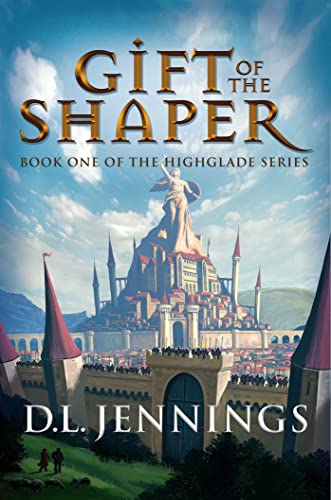
David Gaughran
Turn casual browsers into loyal fans with a proven reader acquisition and retention system.

Literature & Latte
The gold-standard writing tool for serious authors — organize, draft, and export your manuscript with ease.
Get the free KDP ACOS Calculator
A Google Sheet that calculates your break-even ACOS, true profit per sale, and optimal bid ceiling for any book — plus weekly KDP ads tips delivered every Monday.
No spam. Unsubscribe anytime.
More Resources for KDP Authors
Part of the Taciturn Studios publishing network.

CoverCrushing
covercrushing.com
Book cover inspiration and design analysis for authors who know that covers sell books.
MyAuthorVoice
myauthorvoice.com
Writing craft, author branding, and publishing guides for KDP authors.

GuideTopics
guidetopics.com
In-depth how-to guides on Amazon Ads, KDP publishing workflows, and self-publishing tools.




We use cookies and similar technologies to improve your experience, analyze site traffic, and serve relevant ads. By clicking Accept, you consent to our use of cookies as described in our Privacy Policy. You can decline non-essential cookies — the site will still work, but personalized ads won't be shown.