How to Use Amazon Auto Campaigns to Find Profitable Keywords for Your KDP Books in 2026
Amazon Auto Campaigns are a powerful, often underestimated tool for KDP authors to uncover high-performing keywords and ASINs for their books. By allowing
How to Use Amazon Auto Campaigns to Find Profitable Keywords for Your KDP Books in 2026
Amazon Auto Campaigns are a powerful, often underestimated tool for KDP authors to uncover high-performing keywords and ASINs for their books. By allowing Amazon's algorithm to target relevant search terms and products automatically, these campaigns act as a keyword research engine, providing invaluable data that can significantly reduce ACOS and scale book royalties. For indie authors navigating the competitive landscape of Amazon Ads, mastering auto campaigns is a crucial step toward sustainable profitability and growth in 2026.
Table of Contents
- The Unsung Hero: Why Amazon Auto Campaigns are Essential for KDP Authors
- Setting Up Your First Amazon Auto Campaign for Keyword Discovery
- Decoding the Data: Harvesting Keywords and ASINs from Auto Campaigns
- Optimizing and Scaling: Moving from Auto to Manual Campaigns
- Advanced Strategies for Maximizing Auto Campaign Performance
- Common Pitfalls and How to Avoid Them with Auto Campaigns
The Unsung Hero: Why Amazon Auto Campaigns are Essential for KDP Authors
Many KDP authors, especially those new to Amazon Ads, often jump straight into manual campaigns, guessing at keywords they think readers might use. While manual campaigns offer precise control, they are only as good as the keywords you feed them. This is where Amazon Auto Campaigns shine. They are not just a "set it and forget it" solution; they are a sophisticated data-gathering mechanism designed to help you understand how Amazon's algorithm perceives your book and, more importantly, how real readers are finding it.
The Power of Algorithmic Discovery
Amazon's advertising algorithm is incredibly intelligent. When you launch an auto campaign, you're essentially giving Amazon permission to use its vast dataset to match your book with relevant search terms and products. It analyzes your book's metadata (title, subtitle, description, categories, keywords), the content of your book, and even reader behavior to identify potential matches. This algorithmic discovery process often uncovers keywords and ASINs that you, as an author, might never have considered. These are the "hidden gems" that can drive highly targeted traffic and sales.
Bridging the Keyword Research Gap
Traditional keyword research tools are valuable, but they often rely on broad search volume estimates or competitor analysis. Auto campaigns provide actual search terms and product pages that led to impressions, clicks, and sales for your specific book. This real-world data is gold. It tells you exactly what readers typed into the search bar or which books they were browsing when they encountered your ad. This bridges the gap between theoretical keyword research and practical, profitable advertising. Think of it as Amazon doing the initial, broad-stroke research for you, then handing you a refined list of prospects.
Understanding the Four Targeting Types
When you create an auto campaign, Amazon automatically targets four different categories:
- Close Match: Your ads are shown to shoppers who use search terms closely related to your product. This is often the most effective category for direct sales.
- Loose Match: Your ads are shown to shoppers who use search terms loosely related to your product. This can uncover broader, unexpected keywords.
- Substitutes: Your ads are shown to shoppers who view detail pages of products similar to yours. This is excellent for discovering competitor ASINs.
- Complements: Your ads are shown to shoppers who view detail pages of products complementary to yours. This can reveal unexpected cross-promotion opportunities (e.g., a pen ad showing up on a notebook page).
Each of these targeting types provides a different lens through which to view your book's potential audience, offering unique insights into keyword and ASIN performance. Understanding their distinct roles is key to leveraging auto campaigns effectively for keyword discovery.
Setting Up Your First Amazon Auto Campaign for Keyword Discovery
Setting up an auto campaign is straightforward, but doing it with a strategic mindset for keyword discovery requires a few specific considerations. This isn't about setting it and forgetting it; it's about setting it up to learn.
Step 1 of 4: Campaign Structure and Naming Conventions
The way you structure and name your campaigns is crucial for organization and data analysis. For keyword discovery, we recommend a specific approach.
- Goal: The primary goal of this initial auto campaign is data collection, not immediate profitability. You're willing to spend a little to learn a lot.
- Naming Convention: Adopt a clear naming convention. A good example is
BOOKTITLE_AUTO_DISCOVERY_DATE. For instance,DragonbornQuest_AUTO_DISCOVERY_20260315. This makes it easy to identify the campaign's purpose, the book it's for, and when it was started. - Budget: Start with a modest daily budget, perhaps $5-$10. The goal is to get enough impressions and clicks to generate meaningful data, not to spend excessively. You can always increase it later if the data flow is too slow.
- Bidding Strategy: For discovery, "Dynamic bids - down only" or "Dynamic bids - up and down" are generally fine. "Up and down" can help you get more impressions initially, but "down only" can be more cost-controlled. Since you're looking for data, getting impressions is important. Don't use fixed bids for discovery campaigns, as they limit Amazon's ability to optimize for visibility.
Step 2 of 4: Ad Group Configuration and Default Bids
Within your auto campaign, you'll create ad groups. For keyword discovery, it's often best to start with a single ad group per book, allowing Amazon to distribute impressions across all four targeting types.
- Single Ad Group: Name your ad group something like
BOOKTITLE_AUTO_ALL_TARGETS. This keeps things simple initially. - Default Bid: Set a default bid that's competitive but not exorbitant. For many genres, a starting bid of $0.50 - $0.75 is a good baseline. If your book is in a very competitive niche (e.g., romance, thriller), you might need to go slightly higher ($0.75 - $1.00) to ensure your ads get shown. The idea is to get enough impressions to generate data, even if the ACOS isn't perfect in this initial phase.
- Targeting Type Bids: Amazon allows you to set individual bids for Close Match, Loose Match, Substitutes, and Complements. For initial discovery, you can leave them at the default or slightly adjust them. Some authors start with slightly higher bids on "Close Match" and "Substitutes" as these often yield more direct results, but for pure discovery, letting them run equally for a week or two is also viable to see where Amazon finds opportunities.
Step 3 of 4: Negative Keywords and ASINs (Initial Phase)
This might seem counterintuitive for a discovery campaign, but a small amount of initial negative targeting can save you from immediate wasted spend.
- Broad Negatives: Think about terms that are definitely not relevant to your book. If you write clean romance, you might negative match "erotic" or "smut." If your book is for adults, negative match "children's books." These are broad negative keywords.
- Avoid Over-Negativing: The key here is minimal initial negatives. You don't want to block potential discovery. The bulk of your negative keyword work will come after you've collected data.
- No Initial Negative ASINs: Do not add any negative ASINs at this stage. You want to see which competitor books Amazon thinks are relevant.
Step 4 of 4: Launch and Monitor
Once your campaign is set up, launch it and let it run for at least 7-14 days before making any significant changes. This allows Amazon's algorithm enough time to gather data and for patterns to emerge.
- Daily Check-ins (Optional but Recommended): Briefly check your campaign daily for the first few days to ensure it's spending its budget and getting impressions. If it's not spending, your bid might be too low, or your book's metadata isn't strong enough.
- Focus on Data, Not ACOS (Initially): In this discovery phase, don't obsess over ACOS. A higher ACOS is expected because you're casting a wide net. Your primary metric is impressions, clicks, and sales associated with specific search terms and ASINs.
📚 Recommended Resource: Let's Get Digital by David Gaughran This book is a foundational guide for indie authors, covering everything from publishing basics to marketing strategies, making it essential for understanding the broader context of Amazon KDP. 🛒 Buy on Amazon | 📖 Buy on Bookshop.org
Decoding the Data: Harvesting Keywords and ASINs from Auto Campaigns
Once your Amazon Auto Campaign has been running for at least a week or two, it's time to dive into the data. This is where the real keyword discovery happens. The goal is to extract profitable search terms and competitor ASINs that you can then use in more targeted manual campaigns.
Accessing Your Search Term and Product Reports
The most critical reports for harvesting keywords and ASINs are the "Search Term Report" and the "Targeting Report" (specifically for product targeting data).
- Navigate to Amazon Ads Dashboard: Log in to your Amazon Ads account.
- Select Your Campaign: Go to "Sponsored Products" and select the specific auto campaign you've been running for discovery.
- Reports:
- For search terms, click on "Search Terms" under the "Reports" section in the left-hand navigation.
- For ASINs, click on "Targeting" and then filter by "Product Targeting" or look for the "Customer Searches" and "Products" tabs within your ad group.
- Download: Download these reports for the relevant date range (e.g., the last 7 or 14 days). Export them as a CSV file for easier manipulation in a spreadsheet program like Excel or Google Sheets.
Identifying High-Performing Keywords
With your search term report open, you'll see a list of actual search queries customers typed into Amazon that led to an impression or click on your ad.
- Filter and Sort:
- Sort by "Orders" (or "Sales") in descending order. These are your proven winners.
- Sort by "Clicks" in descending order. High clicks with no sales indicate a potential mismatch (good for negative keywords) or a keyword that needs a higher bid in a manual campaign.
- Sort by "Spend" and "ACOS" to identify keywords that are costing you money without generating sales.
- Look for Relevance: Even if a keyword has few sales, if it's highly relevant to your book and has a decent click-through rate (CTR), it's worth considering for a manual campaign.
- Harvesting Process:
- Positive Keywords: Identify keywords with 2+ sales, a reasonable ACOS (e.g., under 100%, ideally under 50% for profit), and a good CTR (e.g., >0.3%). These are prime candidates for exact match manual campaigns.
- Broad Match Keywords: Look for keywords with clicks but no sales, or a single sale, that are still highly relevant. These can be used in broad match manual campaigns to discover variations.
- Negative Keywords: Identify search terms with many clicks but no sales, or terms that are clearly irrelevant to your book. These are crucial for negative exact match. For example, if your fantasy novel ad appeared for "fantasy football," that's a definite negative.
Uncovering Profitable ASINs (Product Targets)
The "Targeting" report (or the "Products" tab within your ad group) will show you which specific product detail pages your ads appeared on, and which of those led to clicks and sales.
- Filter and Sort: Similar to keywords, sort by "Orders" and "Clicks" to find the most effective ASINs.
- Relevance and Sales:
- Direct Competitors: ASINs with sales are often direct competitors. Target these in product targeting manual campaigns. These are books similar to yours that readers are already buying.
- Complementary Products: Sometimes, you'll find sales from ASINs that aren't direct competitors but are complementary. For example, if your historical fiction book sold on the page of a history textbook, that's an interesting complementary target.
- High Impressions/Clicks, No Sales: ASINs with many impressions or clicks but no sales could be good candidates for negative product targeting if they are clearly irrelevant. If they are relevant but not converting, consider if your book cover or description is competitive enough against that specific title.
- Harvesting Process:
- Positive ASINs: Extract ASINs with 2+ sales and a good ACOS. These are excellent for manual product targeting campaigns.
- Negative ASINs: Identify ASINs that generated many clicks but no sales, especially if they are clearly unrelated to your book. Add these as negative product targets to your auto campaign to prevent future wasted spend.
Checklist: Data Harvesting Best Practices
✅ Run auto campaigns for at least 7-14 days before harvesting data. ✅ Download both Search Term and Targeting (Product) reports. ✅ Prioritize keywords/ASINs with 2+ sales and a profitable ACOS. ✅ Look for high-click, no-sale terms/ASINs for negative targeting. ✅ Group harvested keywords by match type (exact, phrase, broad) for future manual campaigns. ✅ Keep a separate spreadsheet for all harvested keywords and ASINs, noting their performance metrics. ✅ Regularly repeat this process (e.g., monthly) as new data emerges.
Optimizing and Scaling: Moving from Auto to Manual Campaigns
The true power of Amazon Auto Campaigns lies not just in discovery, but in using that discovery to fuel more efficient and profitable manual campaigns. This is the transition from broad exploration to surgical precision.
The Migration Strategy: From Auto to Manual
Once you've harvested a solid list of profitable keywords and ASINs from your auto campaign reports, it's time to build out your manual campaigns. This is a multi-step process that ensures you don't lose the momentum gained from your auto campaign while simultaneously improving efficiency.
- Create New Manual Campaigns: For each book, create dedicated manual campaigns:
- One for Exact Match Keywords (e.g.,
BOOKTITLE_MANUAL_EXACT_KEYWORDS). - One for Phrase Match Keywords (e.g.,
BOOKTITLE_MANUAL_PHRASE_KEYWORDS). - One for Broad Match Keywords (e.g.,
BOOKTITLE_MANUAL_BROAD_KEYWORDS). - One for Product Targeting (ASINs) (e.g.,
BOOKTITLE_MANUAL_ASIN_TARGETING).
- One for Exact Match Keywords (e.g.,
- Add Harvested Keywords/ASINs:
- Take your high-performing search terms and add them to the appropriate manual keyword campaigns (exact, phrase, broad).
- Take your high-performing ASINs and add them to your manual product targeting campaign.
- Set Bids Strategically: For your new manual campaigns, set competitive bids. For exact match keywords that performed well in auto, you might start with a bid slightly higher than what they were effectively converting at in the auto campaign to ensure you capture that traffic. For product targets, research the competitor's price and reviews to set a relevant bid.
- Negative Match in Auto Campaign: This is critical. Once you've moved a keyword or ASIN into a manual campaign, you need to add it as a negative exact match to your original auto campaign. This prevents your auto campaign from competing against your manual campaign for the same traffic, which would drive up your costs. It also forces the auto campaign to continue searching for new profitable terms.
Case Study: Fantasy Author — Before/After
Case Study: Fantasy Author — Before/After
Before: "Elara Vance," a new fantasy author, launched an Amazon Auto Campaign for her debut novel, Whispers of the Shadowfell, with a $10 daily budget and a default bid of $0.75. Her initial ACOS was around 120%, and she was getting some sales but felt like she was "throwing money at the wall." She wasn't sure which keywords were truly working. Her manual campaigns were based on general fantasy terms like "epic fantasy" and "magic books," leading to inconsistent results.
After: After two weeks, Elara downloaded her search term and product reports. She found several surprising insights:
- Keywords: "dark elves saga," "dragon rider adventure," and "magic academy books" (which she hadn't considered) had 3+ sales each with an ACOS under 40%.
- ASINs: Her book was selling well on the product pages of two specific indie fantasy authors she hadn't known about, and also on the page of a popular fantasy map art book.
- Negative Keywords: She also discovered many clicks for "fantasy romance clean" (her book was grimdark) and "children's fantasy," which she immediately added as negative exact matches to her auto campaign.
Action Taken: Elara created new manual campaigns:
Whispers_EXACT_KEYWORDS: Added "dark elves saga," "dragon rider adventure," "magic academy books" as exact match, with bids of $0.90-$1.10.Whispers_ASIN_TARGETING: Targeted the two indie author ASINs and the map art book ASIN with bids of $0.80.- She then added all these harvested keywords and ASINs as negative exact matches to her original
Whispers_AUTO_DISCOVERYcampaign.
Results: Within a month, Elara's overall ACOS across all campaigns dropped to 65%. Her manual campaigns, fueled by the auto campaign's data, were generating highly profitable sales. Her auto campaign, now freed from competing with the profitable terms, continued to discover new long-tail keywords like "grimdark fantasy for adults" and "sorceress revenge story," which she then migrated. Her sales volume increased by 40% while her ad spend efficiency dramatically improved.
Iteration and Continuous Optimization
The process of harvesting, migrating, and negativing is not a one-time event. It's an ongoing cycle of continuous optimization.
- Weekly/Bi-weekly Review: Schedule regular reviews (e.g., every 7-14 days) of your auto campaign's performance reports.
- New Discoveries: You will constantly find new keywords and ASINs that perform well. Add them to your manual campaigns.
- New Negatives: You will also find new irrelevant terms or products that are wasting spend. Add them as negative exact matches to your auto campaign.
- Adjust Bids: As you gather more data in your manual campaigns, adjust bids up for high-performing keywords/ASINs and down for underperforming ones.
- Pause Underperforming Auto Campaigns: If an auto campaign stops generating useful data or becomes consistently unprofitable even after negative matching, consider pausing it and launching a fresh one with slightly different settings or for a different book.
📚 Recommended Resource: Your First 10,000 Readers by Nick Stephenson This book provides actionable strategies for building an author platform and connecting with readers, which is vital for maximizing the impact of your ad-driven discovery. 🛒 Buy on Amazon | 📖 Buy on Bookshop.org
Advanced Strategies for Maximizing Auto Campaign Performance
Beyond the basic setup and harvesting, there are several advanced tactics KDP authors can employ to squeeze even more value from their Amazon Auto Campaigns. These strategies focus on refining the discovery process and ensuring your campaigns remain efficient over time.
Segmenting Auto Campaigns by Targeting Type
While a single ad group for all targeting types is good for initial discovery, for more granular control and optimization, you can segment your auto campaigns.
- Purpose: This allows you to set different bids and budgets for each targeting type, optimizing for their specific performance. For example, "Close Match" often has a higher conversion rate, so you might bid higher there. "Loose Match" might require a lower bid but can uncover unexpected gems.
- How to Segment:
- Create a new auto campaign for your book (e.g.,
BOOKTITLE_AUTO_CLOSEMATCH_20260315). - Within this campaign, create a single ad group.
- Go to the "Targeting" section and set bids for each of the four types. For your "Close Match" campaign, you'd set a higher bid for "Close Match" and very low (e.g., $0.02) bids for "Loose Match," "Substitutes," and "Complements."
- Repeat this process for "Loose Match," "Substitutes," and "Complements" in separate campaigns, prioritizing bids for their respective targeting types.
- Create a new auto campaign for your book (e.g.,
- Benefits: This gives you precise control over where your budget is spent and allows you to analyze the performance of each targeting type in isolation, leading to more informed decisions about bid adjustments and negative targeting.
Leveraging Negative Keywords and ASINs Proactively
Negative targeting is not just about removing underperforming terms; it's about shaping the direction of your auto campaign's discovery.
- Initial Proactive Negatives: As mentioned, add broad negative keywords that are definitively irrelevant to your book (e.g., "free," "pdf," "children's," "audiobook" if you only have an ebook).
- Competitive Negatives: If you notice your auto campaign is consistently showing up for a competitor's book that is significantly cheaper, has a much higher review count, or is simply not a good fit for your audience, consider adding that ASIN as a negative product target. This prevents wasted spend on clicks that are unlikely to convert.
- Brand Negatives (Your Own Books): If you have multiple books, especially in a series, you might want to negative match your own book titles or ASINs in auto campaigns for other books in your catalog. This prevents your auto campaigns from competing against each other unnecessarily. (Though sometimes, cross-promotion can be beneficial, so use this judiciously).
- Continuous Refinement: The negative list should be a living document, constantly updated as new irrelevant terms or ASINs appear in your search term and targeting reports.
Utilizing Bid Adjustments by Placement
Amazon allows you to adjust bids for different ad placements: "Top of search (first page)" and "Product pages."
- Strategic Bidding: For discovery campaigns, you might want to start with a modest bid adjustment for "Top of search" (e.g., +20% to +50%). This ensures your ads get visibility in prime locations, which can accelerate data collection.
- Product Page Insights: Product page placements are crucial for discovering competitor ASINs. If you're seeing good performance from product page placements, consider increasing that bid adjustment.
- Data-Driven Adjustments: After running for a while, analyze your placement reports. If "Top of search" is driving high-ACOS clicks with no sales, you might reduce that bid adjustment. Conversely, if product pages are highly profitable, you might increase it.
Comparison Table: Auto Campaign Strategies
| Strategy | Primary Goal | Best For | Potential Downsides |
|---|---|---|---|
| Single Ad Group (Default) | Broad keyword/ASIN discovery | New authors, initial data collection, minimal setup | Less granular control, ACOS can be higher initially |
| Segmented Auto Campaigns | Optimized discovery per targeting type | Experienced authors, refining performance, precise budget allocation | More complex setup, requires more active management |
| Proactive Negatives | Prevent wasted spend, focus discovery | All authors, especially in competitive niches | Can inadvertently block relevant terms if overused |
| Placement Bid Adjustments | Increase visibility in high-value spots | Accelerating data collection, maximizing profitable placements | Can increase ACOS if not monitored, requires data analysis |
Common Pitfalls and How to Avoid Them with Auto Campaigns
While Amazon Auto Campaigns are incredibly powerful, they are not foolproof. KDP authors can easily fall into traps that lead to wasted ad spend and frustration. Understanding these common pitfalls and how to avoid them is key to successful keyword discovery and campaign optimization.
Pitfall 1: Treating Auto Campaigns as "Set It and Forget It"
Many authors launch an auto campaign, let it run indefinitely, and then wonder why their ACOS is high or their sales are inconsistent. This is the biggest mistake.
- Why it's a Pitfall: Auto campaigns are designed for discovery and data collection. If you don't actively review their performance and harvest the data, they will continue to spend money on both profitable and unprofitable terms, leading to an inflated ACOS. They need constant refinement.
- How to Avoid:
- Schedule Regular Reviews: Dedicate specific time each week or bi-weekly to download and analyze your search term and product reports.
- Harvest and Migrate: Immediately move high-performing keywords and ASINs into dedicated manual campaigns.
- Negative Match Aggressively: Add irrelevant or underperforming terms/ASINs as negative exact matches to your auto campaign. This is crucial for guiding the algorithm.
Pitfall 2: Not Using Negative Keywords Effectively
Neglecting negative keywords is a surefire way to bleed ad spend.
- Why it's a Pitfall: Without negative keywords, your auto campaign will continue to show your ad for irrelevant searches (e.g., "free books," "children's fantasy" for an adult novel, or a competitor's book that's clearly not a good fit). This generates clicks that never convert, driving up your ACOS.
- How to Avoid:
- Start with Broad Negatives: As soon as you launch, add obvious negative phrases (e.g., "free," "download," "pdf," "audiobook" if you only sell ebooks).
- Review Search Term Reports Religiously: Every time you review your reports, identify terms with high impressions/clicks but no sales, or terms that are clearly unrelated, and add them as negative exact matches.
- Negative ASINs: Don't forget to negative match competitor ASINs that are generating clicks but no sales, or any ASINs that are clearly not a good match for your book.
Pitfall 3: Obsessing Over Initial ACOS
When first launching an auto campaign for discovery, a high ACOS is often a necessary cost of doing business.
- Why it's a Pitfall: If you panic and pause an auto campaign too early because of a high initial ACOS (e.g., 150-200%), you're stopping the data collection process before it can yield valuable insights. You're essentially shutting down your keyword research engine.
- How to Avoid:
- Shift Mindset: View your initial auto campaign spend as an investment in market research. You're paying Amazon to tell you what readers are searching for.
- Focus on Data Volume: For the first 1-2 weeks, prioritize getting enough impressions and clicks to generate meaningful data, even if it means a temporarily higher ACOS.
- Long-Term View: Understand that the goal is to use this data to build highly profitable manual campaigns, which will bring your overall ACOS down in the long run.
Pitfall 4: Insufficient Budget or Bids
An auto campaign needs enough fuel to run and gather data.
- Why it's a Pitfall: A daily budget of $1 or a bid of $0.02 will severely limit your impressions and clicks. The campaign won't gather enough data to be useful, making the entire exercise pointless.
- How to Avoid:
- Realistic Budget: Start with a daily budget of at least $5-$10 for discovery campaigns. For more competitive genres, you might need $15-$20.
- Competitive Bids: Set a default bid that's competitive for your genre (e.g., $0.50-$0.75, or higher for competitive niches). If your campaign isn't spending its budget, increase your bid.
- Monitor Impressions: If your campaign isn't getting impressions, your bids are too low, or your book's metadata isn't relevant enough. Adjust accordingly.
Pitfall 5: Not Using BookAds AI for Automation
Manually managing auto campaigns, harvesting keywords, and adjusting bids can become a full-time job, especially if you have multiple books.
- Why it's a Pitfall: The manual process is time-consuming, prone to human error, and often reactive. It's easy to miss opportunities or let ACOS creep up if you're not constantly monitoring.
- How to Avoid:
- Leverage AI: Platforms like BookAds AI are specifically designed to automate the most tedious and complex aspects of Amazon Ads. They can automatically harvest profitable keywords and ASINs from your auto campaigns, move them to manual campaigns, and add them as negatives to the original auto campaign.
- Automated Bid Optimization: AI can adjust bids dynamically based on real-time performance, ensuring you're always bidding optimally for profitability.
- Time Savings: By automating these processes, you free up valuable time to focus on writing your next book, marketing, or other author tasks.
📚 Recommended Resource: Write. Publish. Repeat. by Sean Platt & Johnny B. Truant This book emphasizes the importance of consistent output and a business-minded approach to authorship, which pairs well with the systematic optimization of ad campaigns. 🛒 Buy on Amazon | 📖 Buy on Bookshop.org
Frequently Asked Questions
Q: How long should I run an Amazon Auto Campaign before harvesting data? A: It's recommended to run an auto campaign for at least 7-14 days to gather sufficient data. This allows Amazon's algorithm enough time to explore various targeting options and for meaningful patterns of impressions, clicks, and sales to emerge.
Q: What ACOS should I aim for in an auto campaign? A: For a discovery auto campaign, your initial ACOS might be higher than your target profitable ACOS (e.g., 80-150%). Don't panic. The goal is data collection, not immediate profitability. Once you harvest keywords and move them to manual campaigns and add negatives, your overall ACOS will improve.
Q: Should I use "Dynamic bids - up and down" or "Dynamic bids - down only" for auto campaigns? A: For initial discovery, "Dynamic bids - up and down" can help you gain more impressions and data faster, as Amazon can increase your bid for higher visibility. Once you're optimizing and have a clearer idea of profitable terms, "Dynamic bids - down only" can offer more cost control.
Q: Can I run multiple auto campaigns for the same book? A: Yes, and it's often recommended for advanced optimization. You can create separate auto campaigns for each targeting type (Close Match, Loose Match, Substitutes, Complements) to have more granular control over bids and budgets for each.
Q: What's the difference between negative exact and negative phrase in auto campaigns? A: Negative Exact Match prevents your ad from showing only when the search query exactly matches your negative keyword. Negative Phrase Match prevents your ad from showing when the search query contains your negative keyword phrase, even with other words before or after it. For discovery, often start with negative exact to avoid blocking too much, then move to phrase if a broader exclusion is needed.
Q: How often should I review my auto campaign reports? A: For active discovery campaigns, a weekly or bi-weekly review is ideal. This ensures you're consistently harvesting new profitable terms and adding new negatives, keeping your campaign efficient and focused on new data.
Q: My auto campaign isn't spending its budget. What should I do? A: If your campaign isn't spending, your bids are likely too low for the competition in your niche. Try increasing your default bid by $0.10-$0.20 increments and monitor the spend. Also, ensure your book's metadata (categories, keywords, description) is highly relevant, as Amazon uses this to determine ad eligibility.
Q: Can BookAds AI help automate this process? A: Absolutely. BookAds AI is designed to automate the entire lifecycle of Amazon Ads, including harvesting profitable keywords and ASINs from auto campaigns, moving them to optimized manual campaigns, and adding them as negatives to prevent competition. This saves authors significant time and improves ad performance.
Conclusion
Amazon Auto Campaigns are far more than a simple "set it and forget it" advertising option for KDP authors. They are indispensable tools for deep market research, revealing the exact language and product associations readers use to find books like yours. By strategically setting up these campaigns, diligently harvesting the data, and then migrating those insights into optimized manual campaigns, you transform raw ad spend into actionable intelligence. This systematic approach—from broad discovery to precise targeting—is the bedrock of a profitable Amazon Ads strategy in 2026.
Ignoring the power of auto campaigns means leaving valuable data on the table and guessing at your audience's true search behavior. Embrace them as your personal keyword research engine, and watch your ad performance become more efficient, your ACOS drop, and your book sales climb. The time you invest in understanding and optimizing these campaigns will pay dividends in scaling your author career.
Ready to stop manually adjusting bids and guessing which keywords work? Try BookAds AI free for 14 days — no credit card required. Our AI handles bid optimization, keyword harvesting, and ACOS management so you can focus on writing your next book.
Related Articles
- Mastering Amazon KDP Ads: A Comprehensive Guide for Authors
- Understanding and Reducing Your Amazon Ads ACOS
- How to Structure Your Amazon KDP Ad Campaigns for Maximum Profit
This article contains Amazon and Bookshop.org affiliate links. If you purchase through them, BookAds AI earns a small commission at no extra cost to you. Bookshop.org links also support independent bookstores.
Tools KDP Authors Love
As an Amazon Associate and Bookshop.org affiliate, BookAds AI earns from qualifying purchases.
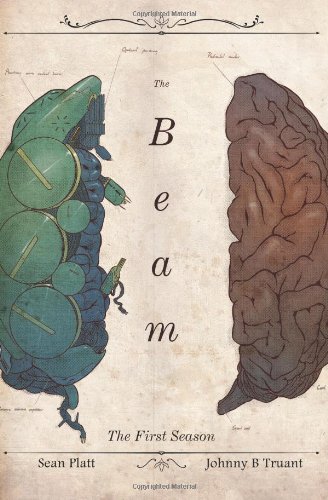
Sean Platt & Johnny B. Truant
Build a sustainable indie publishing business with this comprehensive guide to prolific writing and smart marketing.

David Gaughran
The essential self-publishing guide — from formatting to Amazon ads to building a sustainable business.

Dictate your books at speaking speed — many authors triple their word count using voice-to-text software.
Get the free KDP ACOS Calculator
A Google Sheet that calculates your break-even ACOS, true profit per sale, and optimal bid ceiling for any book — plus weekly KDP ads tips delivered every Monday.
No spam. Unsubscribe anytime.
More Resources for KDP Authors
Part of the Taciturn Studios publishing network.

CoverCrushing
covercrushing.com
Book cover inspiration and design analysis for authors who know that covers sell books.

MyAuthorVoice
myauthorvoice.com
Writing craft, author branding, and publishing guides for KDP authors.

GuideTopics
guidetopics.com
In-depth how-to guides on Amazon Ads, KDP publishing workflows, and self-publishing tools.



We use cookies and similar technologies to improve your experience, analyze site traffic, and serve relevant ads. By clicking Accept, you consent to our use of cookies as described in our Privacy Policy. You can decline non-essential cookies — the site will still work, but personalized ads won't be shown.